Context7: Stop AI Editors From Hallucinating Dead APIs
AI code editors hallucinate deprecated methods and non-existent APIs because they lack current documentation. Context7 solves this by injecting live, version-specific docs from 33,000+ libraries directly into prompts via MCP, turning AI assistants into reliable coding partners—despite growing pains from rapid adoption.
You've spent twenty minutes debugging AI-generated TypeScript. The code looks perfect. Types check. Structure makes sense. Then you discover the function it confidently called doesn't exist—never did. The AI hallucinated it based on outdated documentation or wishful pattern-matching.
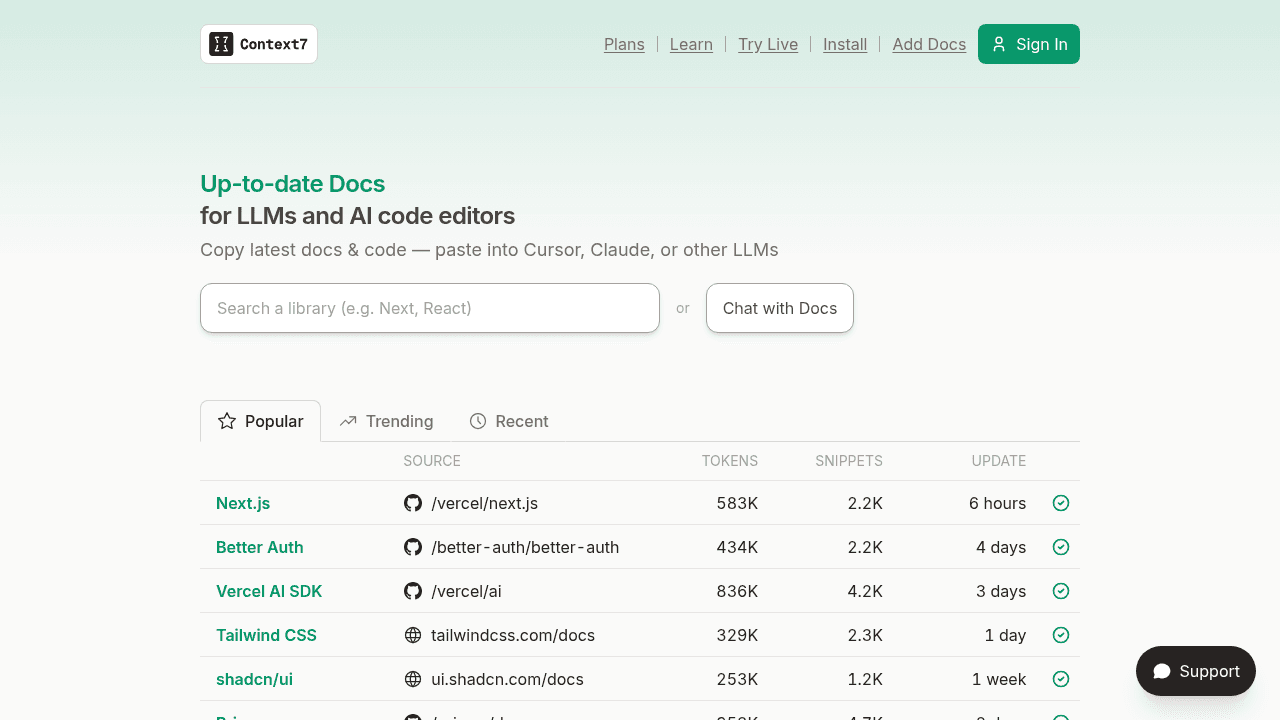
Context7 attacks this problem at the infrastructure level. Instead of hoping language models remember the correct API from training data, it injects live, version-specific documentation from 33,000+ libraries directly into every prompt. When Cursor or Claude generates code, it's working from current docs, not stale memories.
The Hallucination Tax: When AI Editors Invent Code
The problem isn't theoretical. Developers waste hours tracking down deprecated React lifecycle methods, phantom TypeScript utility types, and outdated syntax patterns that AI assistants present with absolute confidence. The model doesn't know it's wrong—it's reconstructing patterns from training data that may be years old.
This creates a tax on AI-assisted development: every suggestion requires verification. Every generated function needs manual review. The time saved on boilerplate gets burned debugging phantom APIs.
How Context7 Works: Documentation as Infrastructure
Context7 operates through the Model Context Protocol (MCP), the standard for feeding external data into AI prompts. It maintains a pre-indexed database of documentation from over 33,000 libraries, extracted and cleaned from official repositories.
When you invoke an AI assistant in a supported editor, Context7's MCP server intercepts the prompt, identifies relevant libraries based on your query, and injects current documentation snippets before the model generates code. The c7score algorithm ranks documentation quality to surface the most useful references.
It's plumbing, not magic. The architecture is straightforward: documentation extraction pipelines feed a searchable index, which gets queried in real-time during code generation. The innovation is scale and integration depth.
Where It's Actually Being Used
Context7 runs in Cursor, Windsurf, VS Code, Claude Code, Zed, and Augment Code—anywhere MCP clients operate. ZK documentation testing demonstrated practical retrieval workflows for library maintainers.
The 37,000+ GitHub stars reflect actual adoption. Developers are running this in production environments.
The Accuracy Problem: 65% vs 90%
Context7 achieves 65% contextual accuracy compared to Deepcon's 90%. That's not a rounding error—it's a meaningful gap in how often the injected documentation actually matches developer intent.
The counterargument is breadth and access. Context7's 33,000-library coverage and free tier (50 queries daily) outpace narrower competitors. If you need obscure library documentation, Context7 probably has it indexed. Whether that trade-off matters depends on your stack.
Growing Pains: Bug Reports and Rough Edges
Rapid scaling brings friction. Open issues include MCP endpoint timeouts, Windsurf refresh loops on Windows 11, and VS Code remote incompatibility. Documentation processing failures affect the Go standard library, Salesforce docs get blocked, and rate-limit detection needs refinement.
These aren't edge cases—they're reported by users trying to integrate Context7 into daily workflows. The project is moving fast enough that stability lags features.
The Alternative Landscape
Nia delivers a 27% coding agent performance boost through different indexing strategies. Docfork offers 9,000+ libraries with ~500ms delivery as an open-source option. Rtfmbro emphasizes version awareness for just-in-time documentation.
Context7 occupies the widest reach position—not the most accurate, not the fastest, but the most comprehensive library coverage with the deepest MCP integration.
Should You Use It?
If you're already in Cursor or Windsurf and debugging hallucinated APIs costs you hours weekly, try the free tier. The 50-query limit lets you evaluate whether injected documentation actually reduces verification overhead.
If accuracy matters more than breadth—if you work in a narrow stack where 90% correctness beats 65% with more libraries—Deepcon's numbers are hard to ignore.
No tool eliminates the need to read documentation. Context7 just makes sure the documentation your AI reads isn't three years out of date.
upstash/context7
Context7 Platform -- Up-to-date code documentation for LLMs and AI code editors