GitHub Copilot's Missing Manual, Built by Developers
GitHub Copilot ships as a general-purpose coding assistant, but customizing it for your stack requires knowledge scattered across teams and forums. The Awesome GitHub Copilot repository centralizes community-contributed instructions, reusable prompts, and custom chat modes that turn generic AI suggestions into workflow-specific assistance.
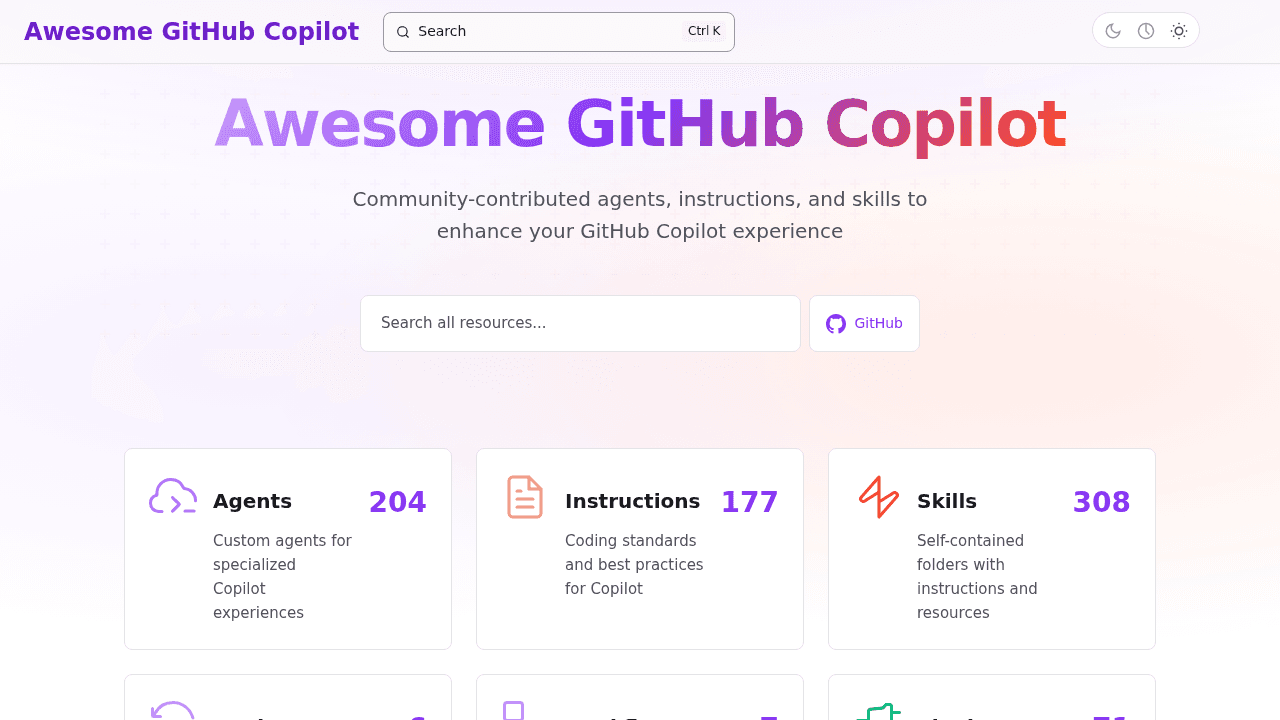
GitHub Copilot writes code for millions of developers, but it ships as a general-purpose tool with no documented path for customization. Need it to understand your testing patterns? Want it to follow your team's Rust conventions? You're on your own—or you were, until developers started pooling their knowledge.
The Awesome GitHub Copilot repository centralizes what was previously tribal knowledge: custom instructions, reusable prompts, and chat modes that make Copilot work for specific stacks and workflows. It's community documentation filling a gap that GitHub left open, turning generic AI suggestions into workflow-specific assistance.
The Customization Gap Copilot Left Behind
Out of the box, Copilot generates code based on patterns it learned from public repositories. That works for boilerplate, but it doesn't know your team prefers integration tests over unit tests, or that your Flutter project follows a specific state management pattern. Every team was solving this customization problem in isolation—writing their own instructions, tweaking prompts, sharing snippets in Slack channels.
The repository solves this coordination problem by crowdsourcing the "how to make it yours" layer that wasn't documented elsewhere. Instead of each developer reinventing the wheel, contributions from across the community provide starting points: ASP.NET containerization, Playwright test generation, Rust-specific coding standards.
What's Inside: Custom Instructions and Chat Modes
The repo organizes contributions by language and use case. There are custom instructions for Flutter and Dart, Rust configurations that enforce memory safety patterns, and ASP.NET prompts for containerization workflows. Custom chat modes help Copilot understand context-specific needs, like generating tests that match your existing framework setup or following your EditorConfig standards.
A Flutter instruction might tell Copilot to use BLoC for state management and follow your team's widget composition style. A Rust config could emphasize zero-cost abstractions and safe concurrency patterns. The value is specificity: teaching Copilot the nuances that matter in your actual codebase.
Recent Additions: EditorConfig, Playwright, and Beyond
Recent pull requests added EditorConfig integration, Playwright Python test prompts, and expanded Rust configurations. The project also launched a website and learning hub, making contributions easier to discover and apply. This isn't a static dump of prompts—it's actively maintained as developers contribute patterns that solve real problems they encountered.
The Ecosystem: Parallel Efforts and Alternatives
This isn't the only community effort. Repositories like awesome-copilot-agents curate similar instruction sets, focusing on skills and agent files. That's healthy diversity—different curation philosophies serving overlapping needs. Developers also explore free alternatives like Roo/Cline with OpenRouter, showing that customization knowledge translates across AI coding tools.
The existence of parallel projects validates the underlying need: powerful AI tooling becomes more valuable when you can shape it to your specific context.
Working Around Copilot's Limitations
Copilot isn't without friction. Users report context shrinking due to model limits, which impacts suggestion quality when working in large codebases. Some developers have noted frustration with forced feature rollouts. These are real issues, but they make precise custom instructions more valuable, not less. If Copilot's context window is constrained, well-crafted instructions help it stay on track within those limits.
Custom configurations don't fix underlying model constraints, but they maximize what's possible within them.
Getting Started With Community Customizations
The repository lives on GitHub under github/awesome-copilot. Browse by language or workflow to find starting points. Contributing your own customizations means other developers benefit from patterns you've already refined. The new website and learning hub make discovery easier for teams just starting to customize their Copilot setup.
This is open source doing what it does: filling gaps through collective effort. GitHub built a powerful tool. The community built the instruction manual.
github/awesome-copilot
Community-contributed instructions, agents, skills, and configurations to help you make the most of GitHub Copilot.