Stop AI Coding Assistants from Copying Your Bad Code
Cursor and other AI coding assistants generate code in the wrong style, copy legacy anti-patterns, and hallucinate APIs without project-specific context. The awesome-cursorrules repository offers a curated library of configuration files that teach AI assistants your project's architecture, conventions, and constraints—before they generate a single line of code.
You ask Cursor to scaffold a new API endpoint. It generates valid Python—using a deprecated ORM pattern you spent six months migrating away from. Or it hallucinates a utility function that doesn't exist in your codebase. Or it ignores your team's style guide, because the AI has no idea what "your team" even means.
The problem isn't that AI coding assistants are bad at writing code. They're writing code without context. Cursor and similar tools can't distinguish between the legacy mess in /old-api and the clean architecture in /v2 unless you tell them. Enter .cursorrules: project-specific configuration files that append context to every AI prompt before it generates a single line.
What .cursorrules actually does
A .cursorrules file sits in your repo root and acts as permanent instructions for Cursor's AI. It defines your architecture decisions, preferred libraries, coding conventions, and anti-patterns to avoid. When you ask Cursor to generate code, it reads this file first, injecting that context into the prompt.
The official Cursor Rules guide describes the setup as a hierarchy: global "AI Rules" apply across all projects, but .cursorrules files are project-specific and take priority. This means you can tell Cursor "we use Pydantic v2, not v1" or "always prefer our internal fetchClient wrapper over raw fetch" at the repo level, without polluting your global config.
Before and after: AI behavior with and without rules
The difference shows up immediately in mixed-quality codebases. Hacker News discussions about "vibe coding" highlight developers using .cursorrules to guide AI on what constitutes good versus bad patterns when the repo contains both. Without rules, Cursor treats all existing code as equally valid reference material. With rules, it knows to ignore the deprecated patterns.
Concrete example: asking Cursor to add error handling in a Next.js app. Without .cursorrules, you get generic try-catch blocks. With a rule specifying "use our ErrorBoundary component and log to Sentry," the AI generates code that fits your actual error-handling strategy.
Real adoption: VSCode extensions, 879-rule collections, team workflows
The awesome-cursorrules repository launched in September 2024 and became the de facto library of curated config templates. A VSCode extension now pulls .cursorrules files directly from the repo, letting you install pre-made configs for React, Python, Rust, and dozens of other stacks with a few clicks.
Third-party tooling followed quickly. (Not)soBrightIdeas built a UI to copy rules from awesome-cursorrules. One Cursor forum user shared an 879-rule collection built on top of the repo. Articles on team workflows now link to awesome-cursorrules as the canonical reference when setting up project-specific AI behavior.
The versioning tradeoff nobody talks about
Dependency management for AI config files is uncharted territory. A Hacker News thread pointed out the operational risk: when awesome-cursorrules updates its Python rules, do you want those changes to propagate to your project automatically? Probably not without review.
This creates a tension between "curated templates we trust" and "configurations that change underneath us." Right now, most teams copy rules from awesome-cursorrules into their repo and version them like any other config file. That works, but it means you miss updates. Tooling discussions around AI resource managers suggest people are still figuring out how to handle rule versioning without inventing a new package manager.
Why this matters now
As "vibe coding" spreads, the developers who ship fastest aren't necessarily the ones with the best prompt skills—they're the ones who configured their AI to understand their stack. That means fewer hallucinations, fewer style-guide violations, and less time fixing AI-generated code that's technically correct but contextually wrong.
Configuration literacy is becoming a learnable skill with measurable impact. The teams treating .cursorrules as first-class repo documentation are seeing it: AI assistants that generate code the same way a senior engineer would, because they've been taught what "good" looks like in that specific codebase.
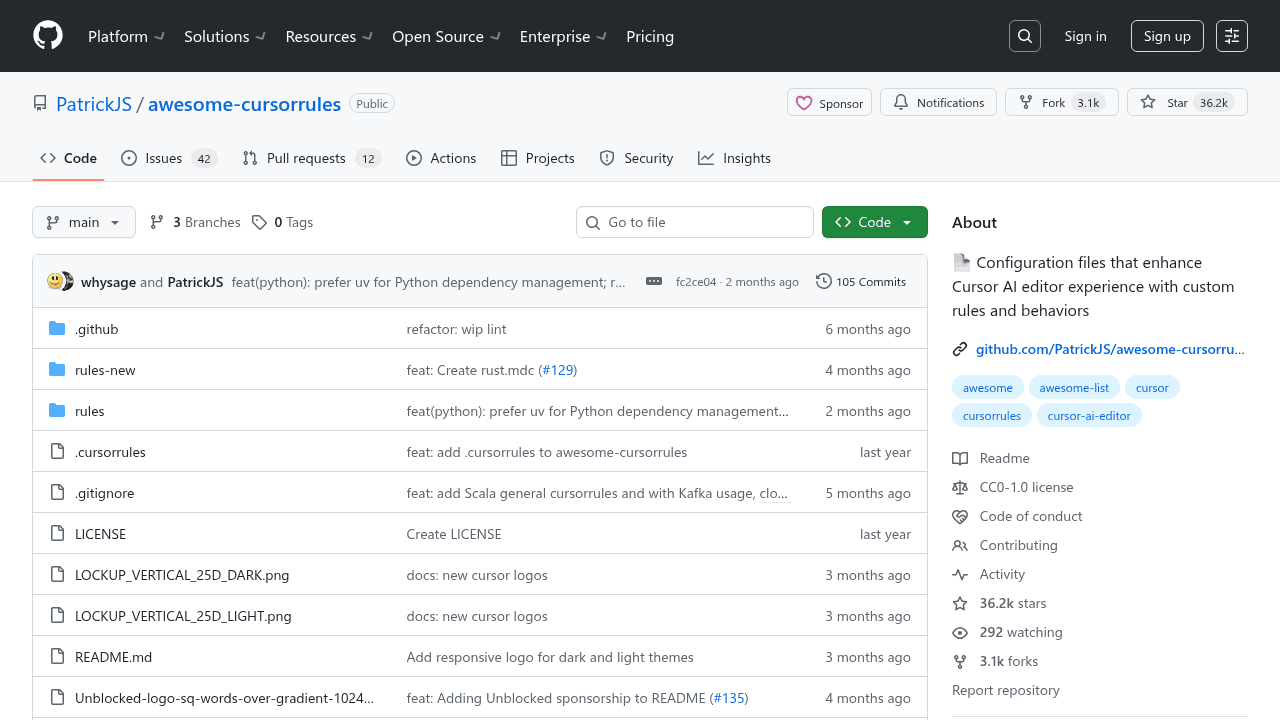
PatrickJS/awesome-cursorrules
📄 Configuration files that enhance Cursor AI editor experience with custom rules and behaviors