27K Stars in 60 Days: What Claude Code Guide Says About AI Docs
A practical GitHub guide to Claude Code accumulated over 27,000 stars in just eight weeks, outpacing most AI tool documentation. Its success exposes a critical gap: developers don't need more API references—they need visual, example-driven resources that solve real problems immediately.
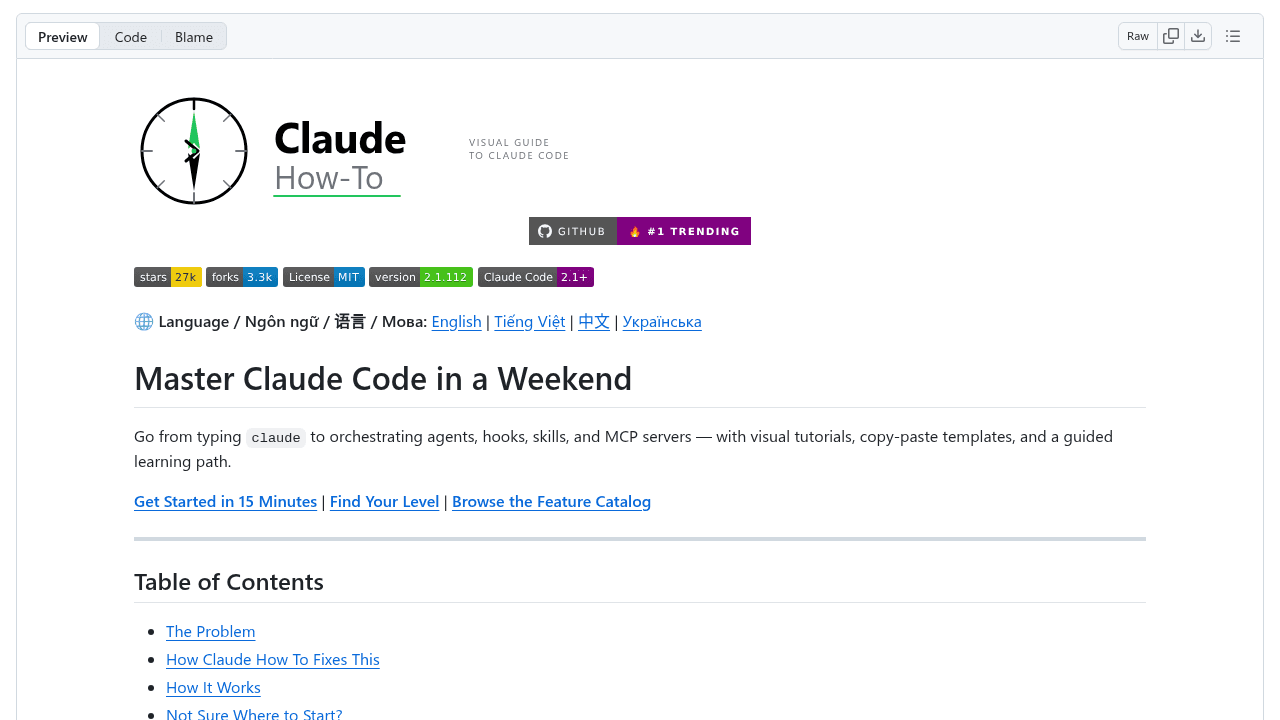
A GitHub repository called awesome-claude-prompts crossed 27,000 stars in eight weeks. Not a framework. Not a tool. A documentation guide for Anthropic's Claude Code—created by a developer named luongnv89 because the official resources weren't cutting it.
That trajectory outpaces most AI project launches, and it's not even the product itself. It's instructions on how to use the product. The gap between what developers needed and what existed was wide enough that a third-party guide became more popular than many AI tools competing for attention.
The Numbers
The average GitHub repository that crosses 1,000 stars takes months or years. Hitting 10,000 is rare. This guide cleared 27,000 in two months, accumulating stars faster than established AI coding tools with venture backing and marketing budgets.
The timing matters. Claude Code arrived as developers were already swimming in AI assistant options—Copilot, Cursor, Tabnine, Cody, and a dozen others. Each promised productivity gains. Each came with its own learning curve. Each shipped documentation that assumed developers had time to parse API references and conceptual overviews.
They didn't. The guide's adoption rate signals something simpler: developers wanted someone to just show them what to do.
What Traditional AI Documentation Misses
Open Anthropic's official Claude documentation and you'll find what every AI tool ships: structured API references, endpoint descriptions, parameter tables. Thorough. Technically accurate. Disconnected from the moment a developer thinks, "How do I actually make this generate a React component?"
The friction isn't laziness. It's cognitive load at the wrong time. When evaluating a new tool, developers need proof of value before they'll invest in understanding architecture. They need copy-paste examples that work right now, not abstractions they have to mentally compile into working code.
Traditional docs optimize for comprehensiveness. They're written for someone who's already committed to learning the tool. But developers evaluating AI assistants are testing three others at the same time. The one that delivers value in five minutes wins.
Show, Don't Tell
Luongnv89's guide leans hard into visual learning. Screenshots dominate. Every workflow gets a step-by-step visual breakdown. Prompts come with expected outputs. Templates are designed to be copied directly into your editor and work without modification.
This isn't innovation—it's recognizing what works in teaching. The format mirrors how developers actually learn: they copy working examples, modify one variable, see what breaks, and build understanding through iteration. The guide removes every obstacle to that cycle.
Where official docs say "Claude Code can assist with refactoring," the guide shows you the exact prompt, the file structure, and the output. It treats examples as the primary content and explanations as supporting material. That inversion matters.
Why Developers Are Drowning in AI Tool Choices
The AI coding assistant space added more options in 2024 than most developers can evaluate. Each tool markets itself as the productivity breakthrough, but comparing them requires time most teams don't have. Official docs assume you've already chosen their tool. Comparison guides are often sponsored content dressed as journalism.
This guide succeeded because it reduced friction at the exact moment developers needed it. You land on the repo, scroll through visual examples, and within minutes know whether Claude Code fits your workflow. That clarity is valuable enough that 27,000 developers bookmarked it.
The paradox: more tools should mean more productivity, but without good onboarding, they create paralysis. The guide's popularity isn't just about Claude Code being good—it's about luongnv89 making it learnable.
Documentation as Craft
Tool creators often treat documentation as a checkbox. Ship the product, write the docs, move on. But this guide's trajectory suggests documentation is product. The quality of your onboarding materials directly impacts adoption, maybe more than features.
What worked here: prioritizing examples over architecture, screenshots over descriptions, and immediate value over comprehensive coverage. The guide didn't try to document everything—it documented the paths developers actually walk.
This isn't a failure of official docs. Anthropic's team ships solid technical references. But there's a gap between reference material and learning resources, and communities will fill it when vendors don't. One format can't serve all needs.
What This Means for Your AI Coding Workflow
If you're evaluating AI assistants, seek resources like this one. Look for community-created guides heavy on screenshots and light on theory. They'll tell you more in ten minutes than an hour with official docs.
If you're building tools, recognize that shipping great documentation means shipping multiple formats. API references for power users. Visual guides for evaluators. Video walkthroughs for visual learners. The community will create what you don't, and that community content will shape perception of your tool.
The meta-lesson: when a documentation guide becomes more popular than most products in its category, it's not a feel-good open source story. It's a signal. Developers aren't asking for more features—they're asking to understand the ones that already exist.
luongnv89/claude-howto
A visual, example-driven guide to Claude Code — from basic concepts to advanced agents, with copy-paste templates that bring immediate value.