agent-browser Cuts AI Automation Tokens by 90%
AI browser automation hits a hard limit when full HTML DOMs overwhelm LLM context windows. Vercel Labs' agent-browser solves this by sending compact accessibility tree snapshots instead—cutting token usage by 90% and making web automation practical for AI agents.
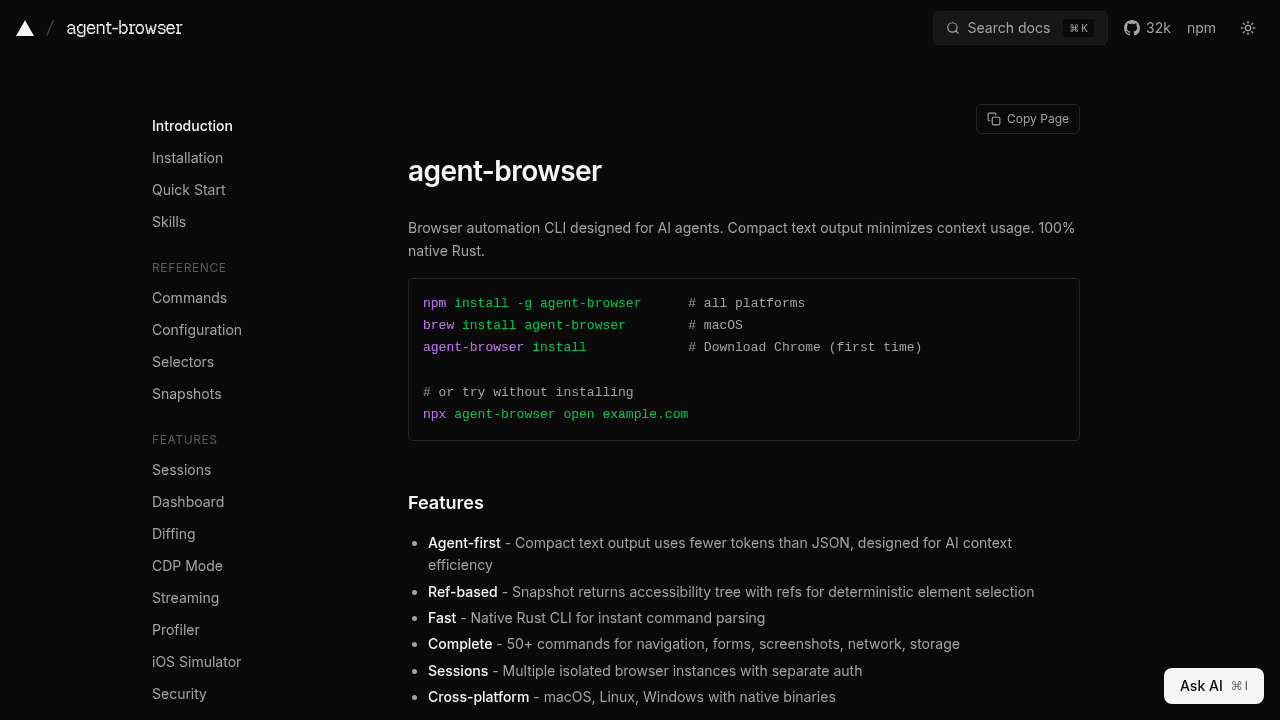
Send a full HTML DOM to an LLM and watch your context window evaporate. A typical webpage DOM weighs 50,000+ tokens—three pages and you're done. For developers building AI agents that need to navigate multi-step workflows across websites, this context exhaustion problem kills automation before it starts.
Vercel Labs' agent-browser tackles this by rethinking what you send to the LLM. Instead of dumping raw HTML, it transmits compact accessibility tree snapshots—data structures containing only interactive elements and semantic structure. The result: 90% less token usage per page.
The Context Window Problem in AI Browser Automation
Traditional browser automation tools weren't designed for LLM integration. When you point an AI agent at a webpage, most approaches serialize the entire DOM and feed it to the model. A landing page with navigation, sidebars, and marketing copy can easily hit 50,000 tokens. For a model with a 128k context window, that's three pages before you're juggling what to discard.
Multi-step tasks—like "research these five competitors and summarize their pricing"—become impossible. The agent burns its context budget before finishing the job, or starts hallucinating element selectors because it can't see the full page anymore.
How agent-browser Uses Accessibility Trees
Accessibility trees were built to help screen readers navigate web pages. They strip away visual styling and non-interactive content, leaving only buttons, links, form fields, and semantic landmarks. agent-browser repurposes this structure for AI consumption.
Each interactive element gets a ref—a lightweight identifier the LLM can reference instead of crafting brittle CSS selectors. The agent doesn't need to know the DOM path to a "Submit" button; it just tells agent-browser to click ref:42. This cuts token overhead and eliminates the selector breakage that plagues traditional automation.
The accessibility tree approach delivers the 90% reduction because you're only sending what matters for interaction, not every <div> wrapper and style tag cluttering the markup.
agent-browser vs Playwright MCP
Playwright is a browser automation framework with 26 tools in its MCP implementation, offering exhaustive control over browser sessions. The toolset and full DOM snapshots work well for traditional automation scripts, but consume more context when every byte counts.
agent-browser was purpose-built for AI: 82% less context usage compared to Playwright MCP's approach, with a smaller tool surface that doesn't overwhelm the model's decision-making. Playwright excels at complex, programmatic control; agent-browser optimizes for token-constrained agents.
Bright Data's Browser API focuses on anti-bot bypass for scraping at scale, while agent-browser prioritizes context efficiency for cooperative sites where you're not fighting CAPTCHAs.
Real-World Usage: Claude, Cursor, and Copilot
Developers are integrating agent-browser with coding assistants like Claude Code, Cursor, and GitHub Copilot. The workflow: ask your editor's AI to perform a web task ("check the status page and file a bug if the API is down"), and agent-browser handles the browser interaction without leaving your development environment.
The project recently underwent a Rust rewrite targeting performance gains and lower memory consumption—useful when your agent might spawn multiple browser sessions for parallel research tasks.
Installation Issues and Growing Pains
Experimental software comes with rough edges. Some users report installation failures when downloading the bundled Chrome browser, and state loading commands can hang without clear error messages. These are typical growing pains for a project moving fast—worth being aware of if you're evaluating the tool, but not dealbreakers for teams comfortable with bleeding-edge dependencies.
When agent-browser Makes Sense
If you've built an AI agent that needs to gather information across multiple pages and felt the pain of context limits derailing your workflow, agent-browser addresses that specific frustration. It's designed for cooperative sites where you're automating legitimate tasks, not circumventing anti-bot measures.
The accessibility tree approach won't work everywhere—dynamic SPAs that rely heavily on JavaScript rendering can challenge any automation tool—but for standard web interactions where context efficiency matters, the 90% token reduction turns impractical workflows into viable ones.
vercel-labs/agent-browser
Browser automation CLI for AI agents